> ## Documentation Index
> Fetch the complete documentation index at: https://docs.bluprynt.com/llms.txt
> Use this file to discover all available pages before exploring further.
# Disclosure Monitoring
> Watch tokenized assets and get told, with proof, when their disclosures, licences, sanctions screening, named parties or collateral change.
Disclosure Monitoring re-reads every tracked source for the assets you watch, keeps each version and tells you when something changes. Every change arrives classified for materiality, with the text before and after, the verbatim quote and the hash of the version read. Compliance desks, risk teams and allocators use it so they don't have to re-read issuer documents by hand.
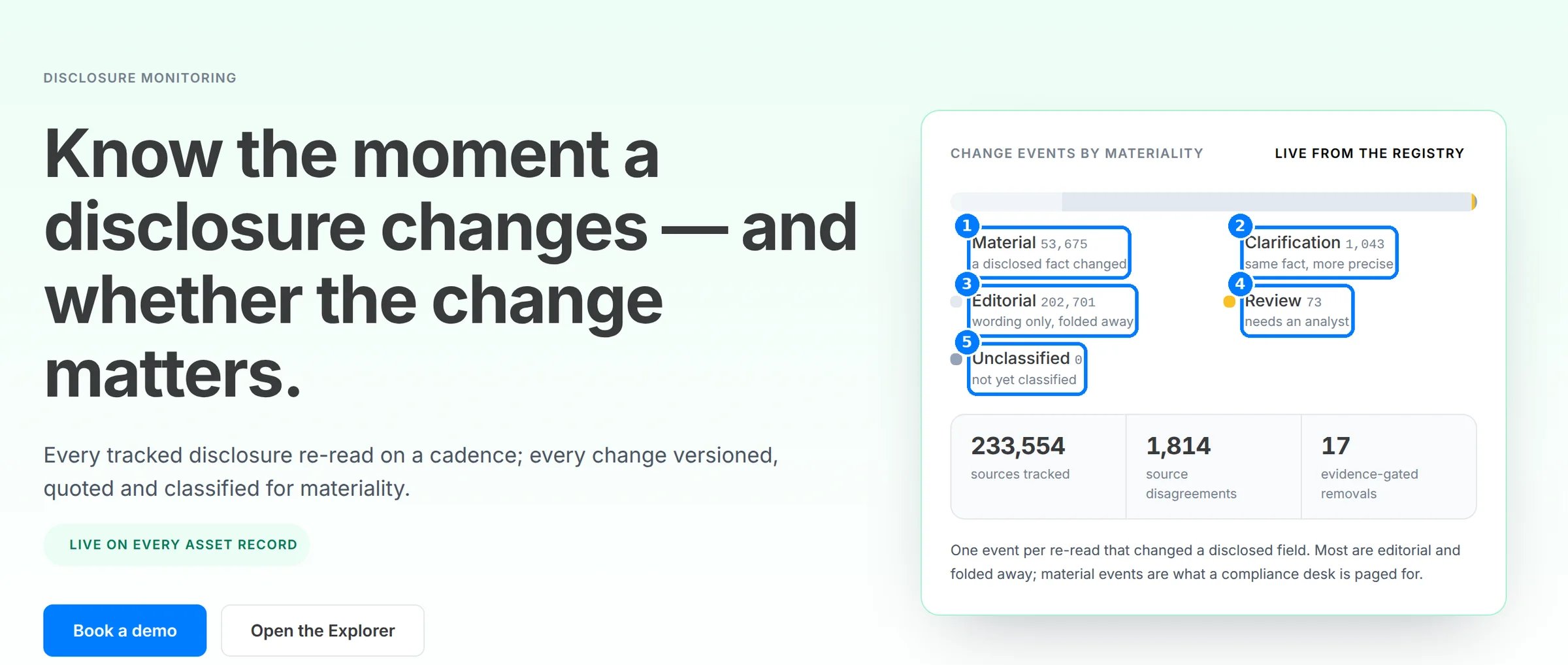 Read the public overview at [explorer.bluprynt.com/tools/disclosure-monitoring](https://explorer.bluprynt.com/tools/disclosure-monitoring). Disclosure Monitoring is part of Explorer Pro. Open it at [explorer.bluprynt.com/monitoring](https://explorer.bluprynt.com/monitoring).
## What it watches
| Monitor | What changes it catches |
| - | - |
| Disclosure field | A disclosed fact changes, is newly disclosed or is withdrawn |
| Source document | A tracked document changes in substance |
| Licence / register | A licence or register status changes |
| Sanctions screening | A screening result matches a sanctions list |
| Named parties | A named party, such as a custodian or auditor, changes |
| Collateral ISIN | A collateral instrument is linked |
## Feature guides
Watch an asset, read its coverage and choose what to be notified about.
Cadence, versioning, materiality classes and evidence-gated removals.
Read notifications, filter the change feed and open a change with its proof.
Manage a watchlist and read changes from your own systems.
## Who can use it
| Access | What you get |
| - | - |
| Anonymous or free account | The public overview page. `/monitoring` shows the Explorer Pro gate. |
| Explorer Pro | A watchlist of up to 5 assets, in-app notifications and the full change feed with proof |
## Related pages
The registry Monitoring watches.
What each asset depends on.
This documentation is built and hosted on [Mintlify](https://mintlify.com), a developer documentation platform.
Read the public overview at [explorer.bluprynt.com/tools/disclosure-monitoring](https://explorer.bluprynt.com/tools/disclosure-monitoring). Disclosure Monitoring is part of Explorer Pro. Open it at [explorer.bluprynt.com/monitoring](https://explorer.bluprynt.com/monitoring).
## What it watches
| Monitor | What changes it catches |
| - | - |
| Disclosure field | A disclosed fact changes, is newly disclosed or is withdrawn |
| Source document | A tracked document changes in substance |
| Licence / register | A licence or register status changes |
| Sanctions screening | A screening result matches a sanctions list |
| Named parties | A named party, such as a custodian or auditor, changes |
| Collateral ISIN | A collateral instrument is linked |
## Feature guides
Watch an asset, read its coverage and choose what to be notified about.
Cadence, versioning, materiality classes and evidence-gated removals.
Read notifications, filter the change feed and open a change with its proof.
Manage a watchlist and read changes from your own systems.
## Who can use it
| Access | What you get |
| - | - |
| Anonymous or free account | The public overview page. `/monitoring` shows the Explorer Pro gate. |
| Explorer Pro | A watchlist of up to 5 assets, in-app notifications and the full change feed with proof |
## Related pages
The registry Monitoring watches.
What each asset depends on.
This documentation is built and hosted on [Mintlify](https://mintlify.com), a developer documentation platform.