> ## Documentation Index
> Fetch the complete documentation index at: https://docs.bluprynt.com/llms.txt
> Use this file to discover all available pages before exploring further.
# Know Your Issuer
> Proof that a token was issued by a verified organization that controls it on-chain.
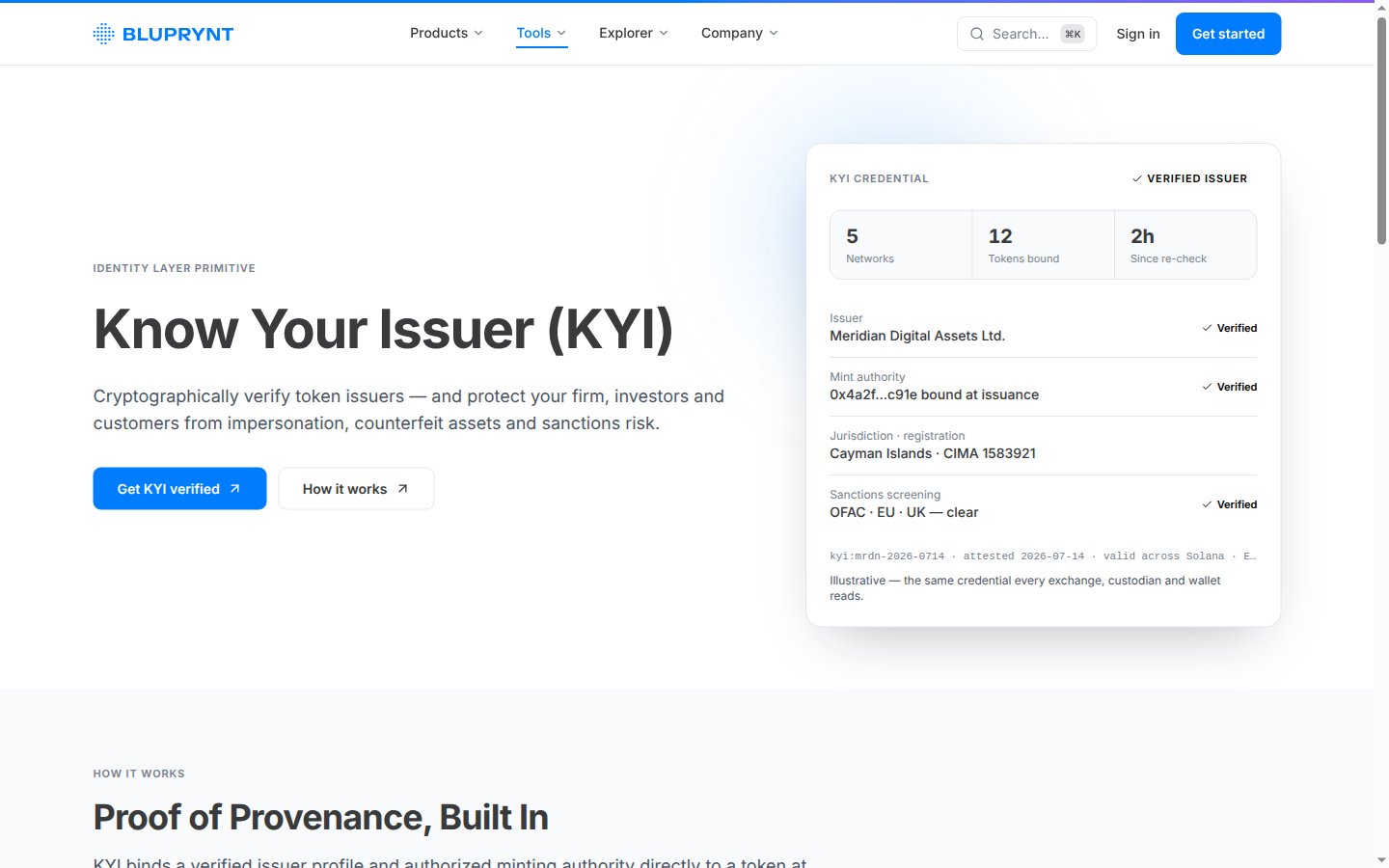
Know Your Issuer (KYI) ties a token to the verified organization that issued it. It answers two questions every exchange, custodian and wallet asks before listing or holding a token: who is behind it, and do they really control it?
 ## Who it's for
| You are | You use KYI to |
| - | - |
| **An issuer** | Prove your organization stands behind your token, once, and reuse that proof everywhere. Verify in [Bluprynt Passport](/passport/verify-asset). |
| **A platform** (exchange, launchpad, wallet, data site) | Let issuers verify inside your product with the [KYI Widget SDK](/sdk/overview), and check status with the [Public API](/api/public/overview). |
| **A verifier or supervisor** | Check an asset's verified issuer on [Compliance Explorer](/explorer/overview) or in [Bluprynt Proof](/proof/registry). |
## Key concepts
| Term | Meaning |
| - | - |
| **KYB** | Know Your Business: verifying the organization (legal entity, documents, associated parties). Done once per organization. |
| **Authority wallet** | A wallet the token contract gives control to, such as owner, admin, minter, upgrade admin, or mint and freeze authority on Solana. |
| **Declared / attested** | An authority read from the chain is *declared*. Once its wallet signs, it's *attested*. |
| **KYI Verified** | The credential an asset gets when its organization passed KYB and its authority wallets are attested. |
| **Trust center** | The asset's public page, which shows the verified issuer and its credentials. |
## How it works
```mermaid theme={"system"}
flowchart TD
A[KYB on the organization] --> B[Add the token address]
B --> C[Bluprynt reads the chain: contract + authority wallets]
C --> D[Each authority wallet signs a challenge]
D --> E[Application filed and reviewed]
E --> F[KYI Verified credential + public trust center]
classDef start stroke-width:2px
classDef done stroke-width:2px
class A start
class F done
```
1. **KYB.** The organization is verified once, with forms provided by Sumsub, and matched against GLEIF where possible.
2. **Asset.** A member pastes the token address. Bluprynt detects the chain and reads the token's metadata.
3. **Authorities.** Bluprynt reads which wallets control the token on-chain.
4. **Signatures.** A member signs a one-time challenge with each authority wallet. Most methods are off-chain: no funds move, no gas. See [Wallet verification](/sdk/wallet-verification).
5. **Decision.** The application is filed and reviewed. Once approved, the asset is **KYI Verified** and its public record shows the verified issuer.
Every screen of this process, with screenshots, is in [Verification flow](/sdk/flow).
## What it protects against
* **Impersonation.** A look-alike token claiming a real issuer has no attested authority from that issuer.
* **Counterfeit assets.** A token with no verified organization behind it stays unverified.
* **Sanctions risk.** KYI supports screening of the organization behind each asset.
## What KYI doesn't cover
* It verifies identity and control, not reserves. For backing, see [Proof of Collateral](/tools/proof-of-collateral).
* It doesn't rate a token's risk or quality.
* A signature attests to control of an address only, not to any other field on the asset.
## Where KYI appears
| Surface | What you see |
| - | - |
| [Bluprynt Passport](/passport/verify-asset) | The issuer's own verification flow and asset status. |
| [KYI widget](/sdk/overview) | The same flow, embedded in a partner's product. |
| [Public API](/api/public/overview) | `business_details.business_verified` and each authority's `verified` flag. |
| [KYI badge](/api/public/badge-recipe) | A live SVG/PNG/WebP badge for an asset. |
| [Compliance Explorer](/explorer/overview) | The asset page's issuer and verification status. |
## FAQ
The member's part takes about five minutes once KYB documents are at hand. KYB review and the final decision take longer, and the member can leave and come back.
No. KYB is once per organization. Each new token needs its authority wallets signed, and a wallet that already signed covers every token it controls.
In Bluprynt Passport.
Run KYI in your own app.
Check an asset's issuer.
## Related pages
The issuer steps, screen by screen.
Embed the same flow in your platform.
Read KYI status by API.
This documentation is built and hosted on [Mintlify](https://mintlify.com), a developer documentation platform.
## Who it's for
| You are | You use KYI to |
| - | - |
| **An issuer** | Prove your organization stands behind your token, once, and reuse that proof everywhere. Verify in [Bluprynt Passport](/passport/verify-asset). |
| **A platform** (exchange, launchpad, wallet, data site) | Let issuers verify inside your product with the [KYI Widget SDK](/sdk/overview), and check status with the [Public API](/api/public/overview). |
| **A verifier or supervisor** | Check an asset's verified issuer on [Compliance Explorer](/explorer/overview) or in [Bluprynt Proof](/proof/registry). |
## Key concepts
| Term | Meaning |
| - | - |
| **KYB** | Know Your Business: verifying the organization (legal entity, documents, associated parties). Done once per organization. |
| **Authority wallet** | A wallet the token contract gives control to, such as owner, admin, minter, upgrade admin, or mint and freeze authority on Solana. |
| **Declared / attested** | An authority read from the chain is *declared*. Once its wallet signs, it's *attested*. |
| **KYI Verified** | The credential an asset gets when its organization passed KYB and its authority wallets are attested. |
| **Trust center** | The asset's public page, which shows the verified issuer and its credentials. |
## How it works
```mermaid theme={"system"}
flowchart TD
A[KYB on the organization] --> B[Add the token address]
B --> C[Bluprynt reads the chain: contract + authority wallets]
C --> D[Each authority wallet signs a challenge]
D --> E[Application filed and reviewed]
E --> F[KYI Verified credential + public trust center]
classDef start stroke-width:2px
classDef done stroke-width:2px
class A start
class F done
```
1. **KYB.** The organization is verified once, with forms provided by Sumsub, and matched against GLEIF where possible.
2. **Asset.** A member pastes the token address. Bluprynt detects the chain and reads the token's metadata.
3. **Authorities.** Bluprynt reads which wallets control the token on-chain.
4. **Signatures.** A member signs a one-time challenge with each authority wallet. Most methods are off-chain: no funds move, no gas. See [Wallet verification](/sdk/wallet-verification).
5. **Decision.** The application is filed and reviewed. Once approved, the asset is **KYI Verified** and its public record shows the verified issuer.
Every screen of this process, with screenshots, is in [Verification flow](/sdk/flow).
## What it protects against
* **Impersonation.** A look-alike token claiming a real issuer has no attested authority from that issuer.
* **Counterfeit assets.** A token with no verified organization behind it stays unverified.
* **Sanctions risk.** KYI supports screening of the organization behind each asset.
## What KYI doesn't cover
* It verifies identity and control, not reserves. For backing, see [Proof of Collateral](/tools/proof-of-collateral).
* It doesn't rate a token's risk or quality.
* A signature attests to control of an address only, not to any other field on the asset.
## Where KYI appears
| Surface | What you see |
| - | - |
| [Bluprynt Passport](/passport/verify-asset) | The issuer's own verification flow and asset status. |
| [KYI widget](/sdk/overview) | The same flow, embedded in a partner's product. |
| [Public API](/api/public/overview) | `business_details.business_verified` and each authority's `verified` flag. |
| [KYI badge](/api/public/badge-recipe) | A live SVG/PNG/WebP badge for an asset. |
| [Compliance Explorer](/explorer/overview) | The asset page's issuer and verification status. |
## FAQ
The member's part takes about five minutes once KYB documents are at hand. KYB review and the final decision take longer, and the member can leave and come back.
No. KYB is once per organization. Each new token needs its authority wallets signed, and a wallet that already signed covers every token it controls.
In Bluprynt Passport.
Run KYI in your own app.
Check an asset's issuer.
## Related pages
The issuer steps, screen by screen.
Embed the same flow in your platform.
Read KYI status by API.
This documentation is built and hosted on [Mintlify](https://mintlify.com), a developer documentation platform.