

Base URL
GET. There are no write endpoints.
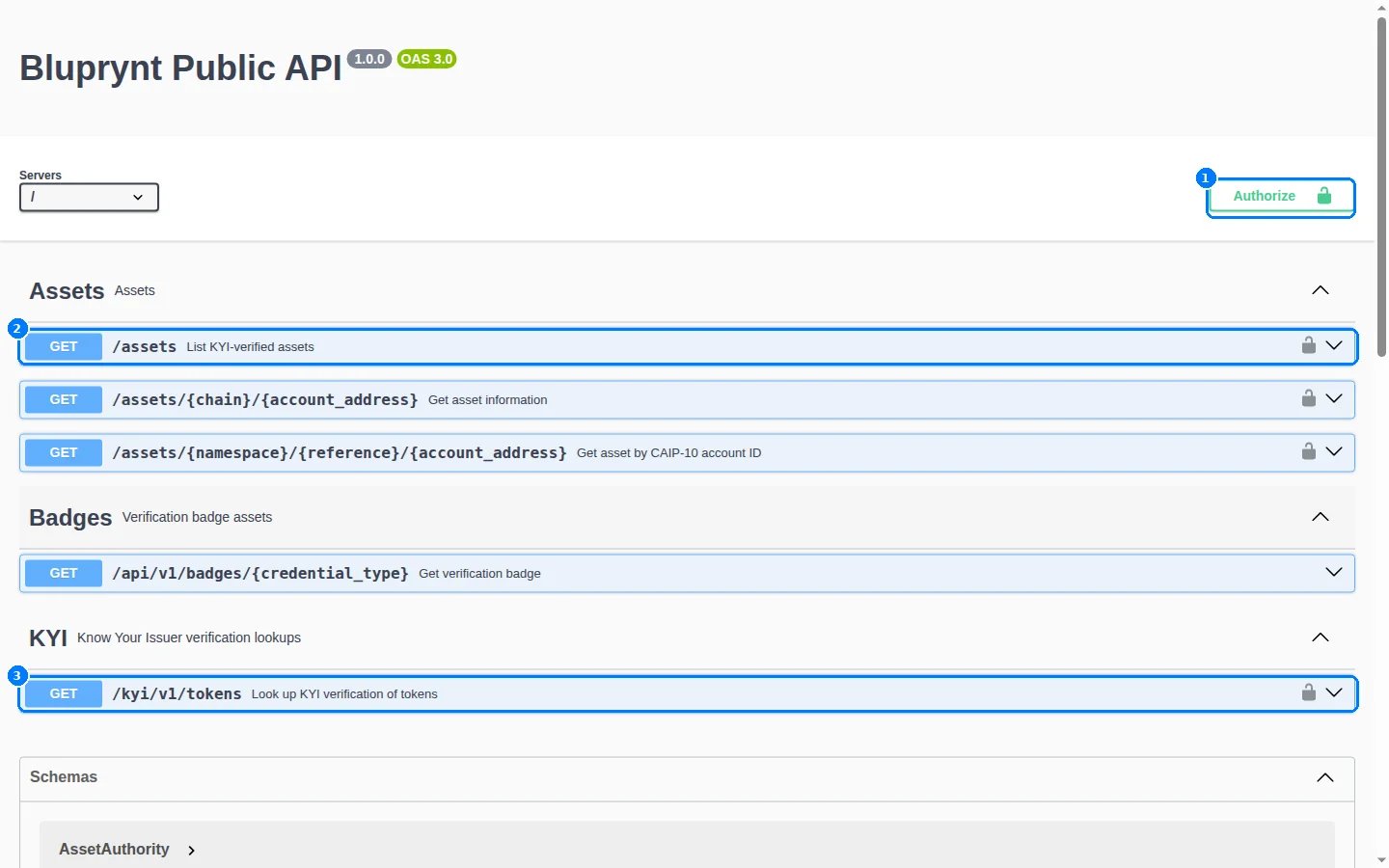
The interactive API reference at integrations.bluprynt.com. Click Authorize (1) to attach your key, then open any route — the Assets lookups (2) and the KYI token lookup (3) — and use Try it out.
Endpoints
The two
/assets lookups return the same record. The CAIP form also covers chains that have no short name, such as eip155/98866 for Plume.
Authenticate
Send your API key as the rawAuthorization header value. Don’t add a Bearer prefix: the API rejects it. Ask product@bluprynt.com for a key.
Response (trimmed)
In this section
Authentication
Get a key, send it correctly and try routes in the interactive docs.
Asset lookup
Find one asset by chain name or CAIP-2 ID, and page through every verified asset.
Token KYI lookup
Look up KYI verification by CAIP-19 or address, with authority and proof detail.
Badges
Every credential type, variant, theme, format and size — no key needed.
Errors
Every status code and error body, observed live.
Limits, caching and versions
Cache headers, deprecation signals and how the API is versioned.
Recipe: KYI badge
Show a KYI badge next to a token in your exchange UI, end to end.
Looking for tokenomics feeds and monitoring watchlists instead? That’s the Explorer API — a separate service with its own keys and scopes.