

Key concepts
How it works
- Bluprynt reads the token’s contract and lists the authority wallets.
- The member picks a wallet and a signing method.
- Bluprynt issues a challenge that expires: five minutes for a browser wallet, 30 minutes for a manual signature. An expired challenge is refreshed automatically.
- The member signs. Most methods sign off-chain: no funds move and no gas is paid.
- Bluprynt verifies the signature against the wallet address. Off-chain signatures are confirmed instantly; HSM memo transactions are reviewed by Bluprynt.
- When every token has an attested authority, the member can file the asset for decision.
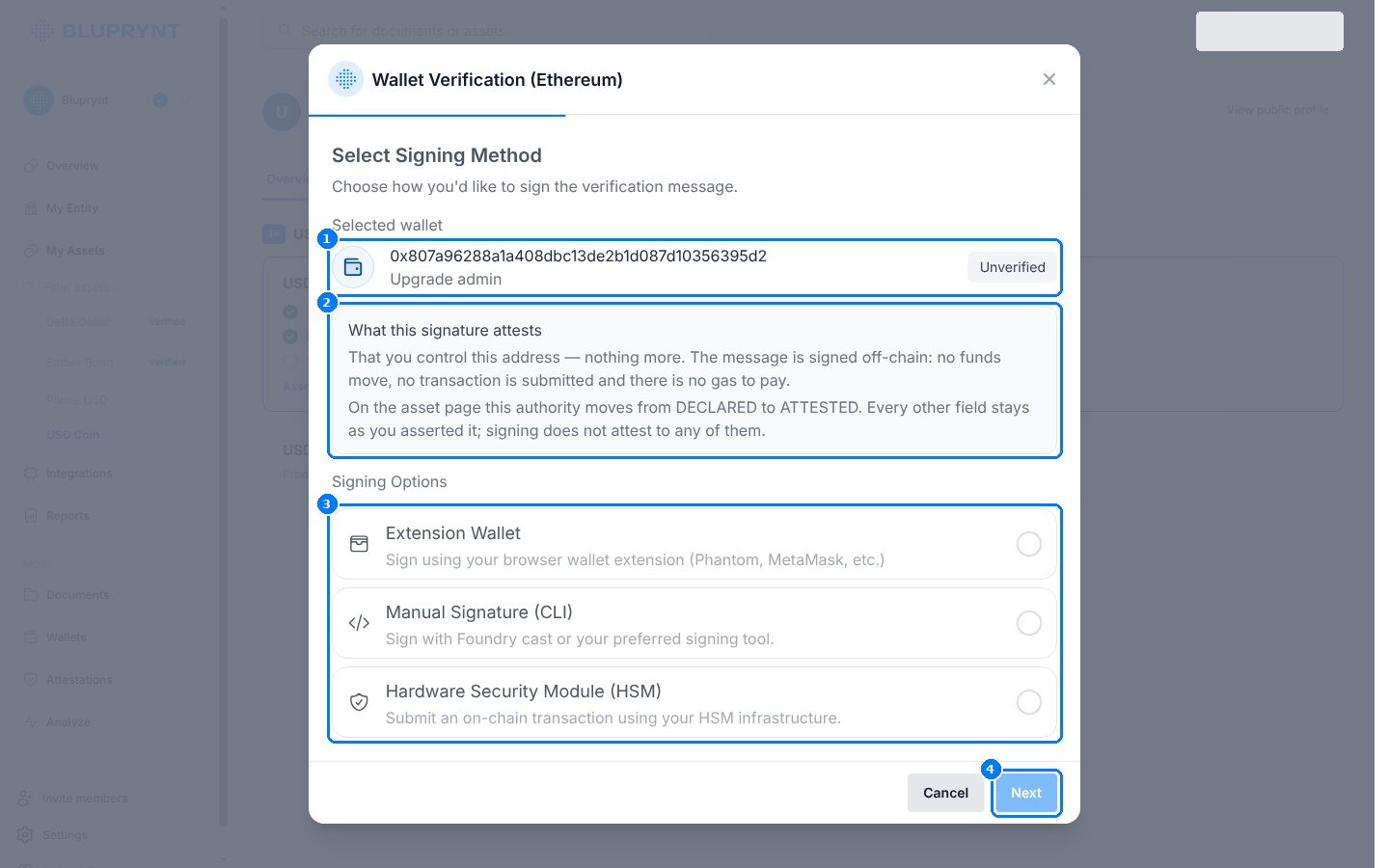
Signing methods for an Ethereum authority wallet (Bluprynt Passport; the widget shows the same dialog).
Methods by chain
WalletConnect and transaction verification are switched on per integration. Ask your Bluprynt contact which methods your members get.
Extension wallet
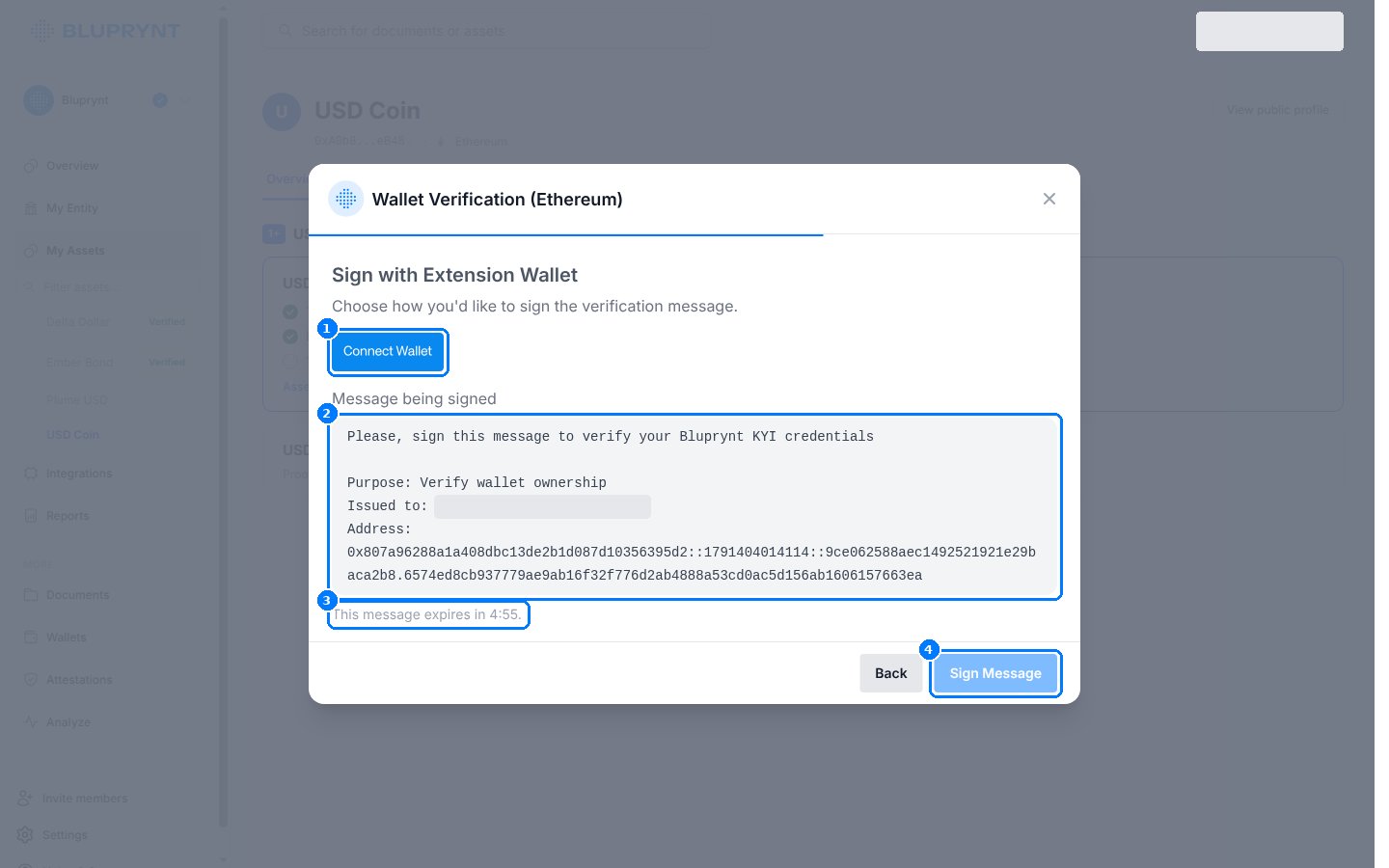
- Connect Wallet, and switch to the authority account if the wallet opens another one.
- Check the message being signed. It names the purpose, the organization it’s issued to, and the address with a nonce.
- The message expires after five minutes and is refreshed automatically.
- Sign Message. The wallet shows a
personal_signrequest (EVM), a message-signing request (Solana), or a GemWallet / Crossmark prompt (XRPL).
Manual signature (CLI)
Use this for keys in a keystore, a hardware wallet over USB, or any machine without a browser wallet.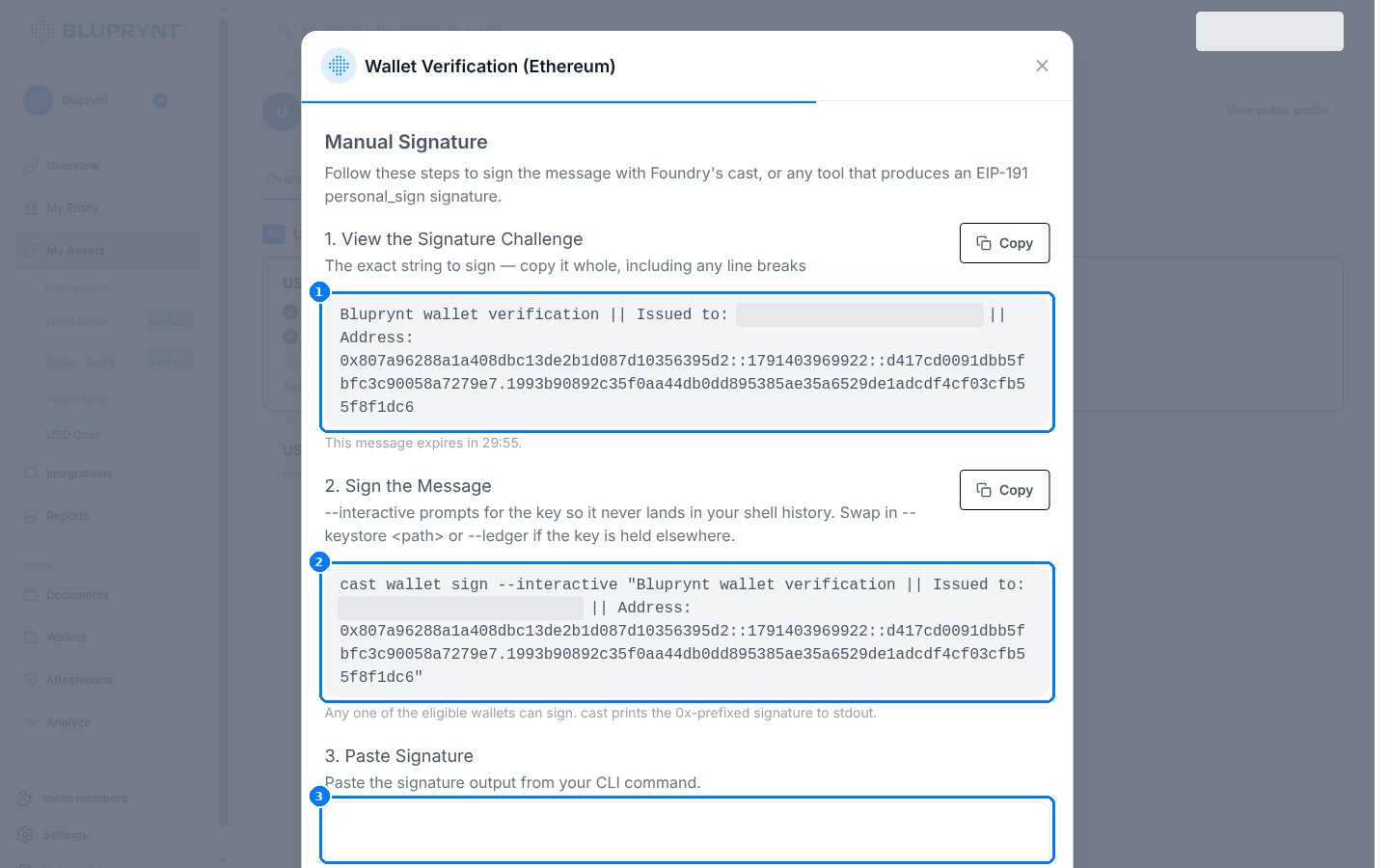
- Copy the signature challenge whole, including line breaks.
- Run the command the widget shows. It already contains the challenge.
- Paste the signature and press Submit.
cast prints a 0x-prefixed 65-byte signature. Paste only that line. For XRPL, the widget shows a short script for xrpl or ripple-keypairs with the challenge filled in.
HSM or custody
Use this when the key can’t sign arbitrary messages, for example an HSM policy or a qualified custodian.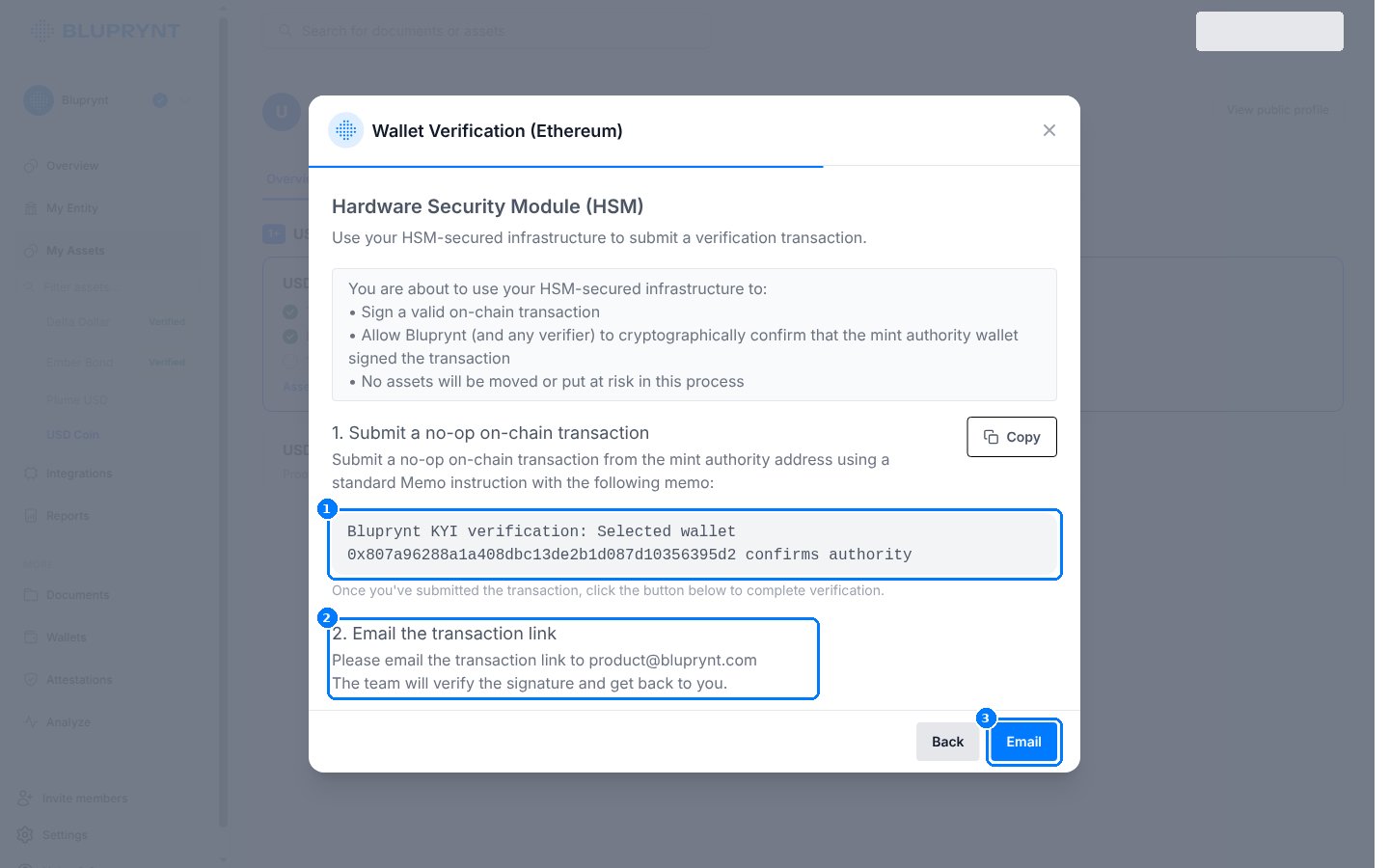
- From the authority wallet, submit a no-op transaction carrying exactly this memo:
- Email the transaction link (block explorer URL) to product@bluprynt.com.
- Bluprynt reviews the transaction and replies. The wallet stays unverified until then.
Multisig
If a token’s authority is a multisig, such as a Safe, the queue offers two ways to sign:Worked example: USD Coin on Ethereum
The queue for an asset with one authority, an upgrade admin: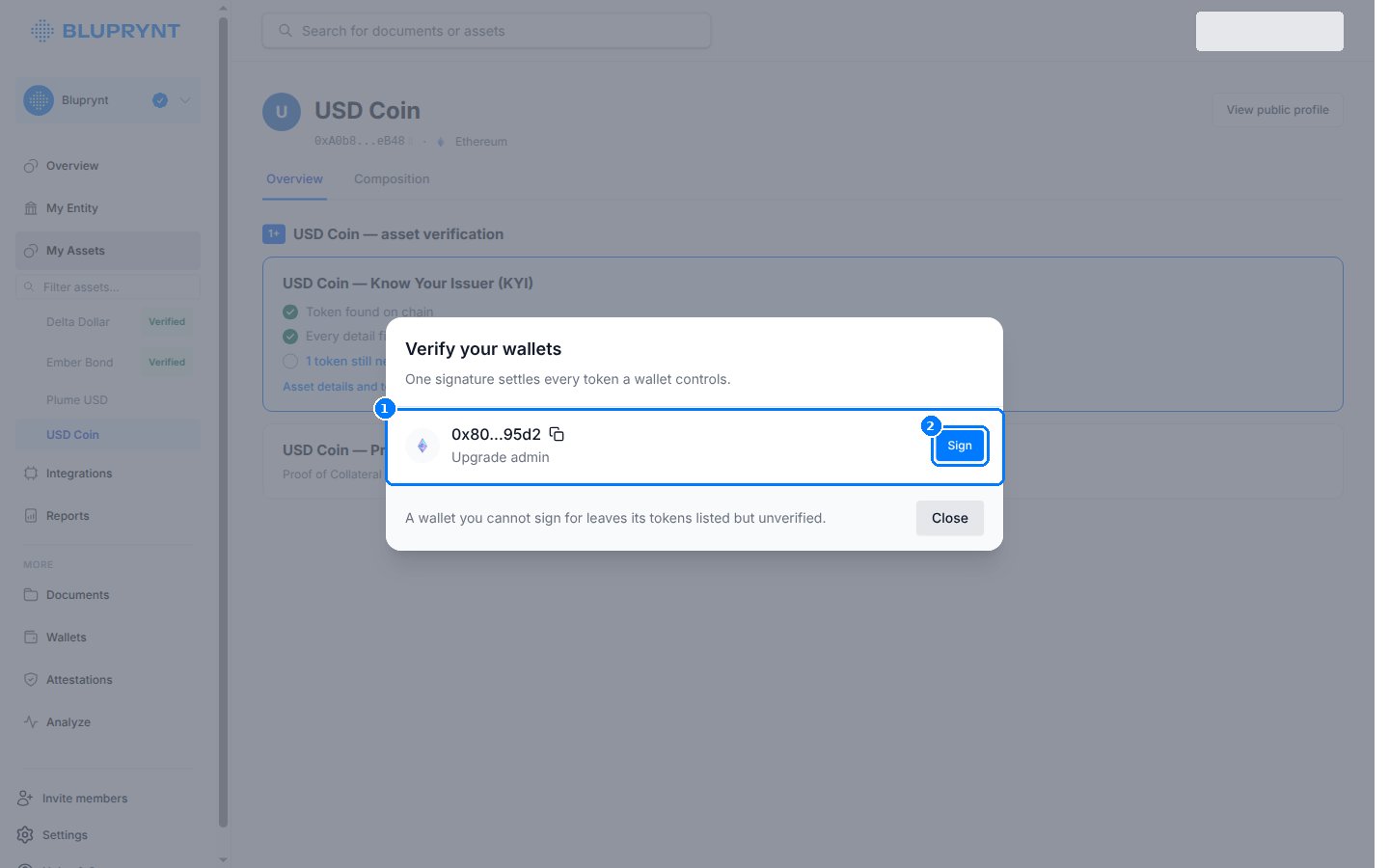
- The member clicks Sign next to
0x80…95d2 · Upgrade admin. - They choose Manual Signature (CLI) and copy the challenge.
- They run
cast wallet sign --ledger "<challenge>"with the admin key on a Ledger. - They paste the signature and press Submit. The authority becomes
ATTESTEDand the queue reads “Nothing left to sign for.”
Errors and limits
FAQ
Does signing cost gas or move funds?
Does signing cost gas or move funds?
No, for extension wallet, WalletConnect and manual signatures: they sign off-chain. HSM memo transactions and transaction verification are on-chain and pay network fees, but move no assets beyond the micro-transfer.
What exactly does a signature prove?
What exactly does a signature prove?
Only that the signer controls the address. It doesn’t attest to the asset’s name, reserves or any other field.
Do I sign once per token?
Do I sign once per token?
Once per wallet. One signature covers every token that wallet controls.